

17 min read · Updated: 2026-11-29
An AMOLED smartwatch can cost anywhere from an entry-level amount to a premium-device price, depending on its display, materials, sensors, GPS, calling features and software support. There is no single standard price: compare watches with similar features and check what is included before deciding whether a higher-priced model offers something you will actually use.
AMOLED describes the screen technology, not the watch’s overall quality or feature set. Two watches with AMOLED displays may differ considerably in brightness, battery life, durability, health tracking and compatibility with your phone.
Start with your everyday needs, then compare display quality and practical features against the final checkout cost. This guide explains what drives prices, which upgrades may be worthwhile and how to set a budget without paying extra for specifications you will not use.
- AMOLED alone does not determine a smartwatch’s price; materials, GPS, calling, sensors and software support also matter.
- Pay for features that fit your routine, and check their trade-offs, including battery use and phone compatibility.
- Compare display readability, charging needs and specific health functions rather than relying on broad labels.
- Set a budget and compare the final checkout cost, warranty and returns before choosing.
What Affects the Price of an AMOLED Smartwatch?
Hardware Beyond the Screen
The screen is only one part of an AMOLED smartwatch’s cost; the materials and components around it matter too. A metal case, tougher glass, built-in GPS, speaker, microphone and additional sensors can all add complexity. Compare the complete specification rather than assuming that two watches with the same display technology should cost alike.
- ☐ Compare case material and screen protection.
- ☐ Check whether GPS works without a phone.
- ☐ Confirm that calling features match your needs.
- ☐ Review the sensors and phone compatibility.
Consider how a feature changes your routine before treating it as an upgrade. Built-in GPS can record an outdoor route without relying on your phone, while a speaker and microphone can make wrist-based calls possible. If you rarely exercise away from your phone or take calls on your wrist, those additions may not justify a higher cost.
When setting a budget for an international purchase, checking dolar ve euro kurları can help you understand how a listed price translates into your own currency. Remember that the amount shown in another currency may not match the final charge after the seller’s checkout calculation, delivery costs or applicable taxes.
Software and Ongoing Support
Software support can affect how useful a watch remains after purchase. Check which phone operating systems it supports, whether the companion app offers the features you want and how the maker handles updates. A watch that pairs reliably with your phone may be a better everyday choice than one with a longer specification list but awkward compatibility.
Look closely at which functions require an app or account, because setup can differ between models. Some health summaries may be available only through a companion app, while notifications and call controls depend on phone permissions. Reading the product details before buying helps you avoid paying for functions that are unavailable with your particular phone.
Also compare what the seller includes in the box and how returns are handled. A charging cable, warranty terms and clear support arrangements affect the overall value, even though they are not visible on the watch face. For international orders, check delivery charges and local return options before comparing the advertised prices.
Which AMOLED Features Are Worth Paying For?
Prioritize Useful Upgrades
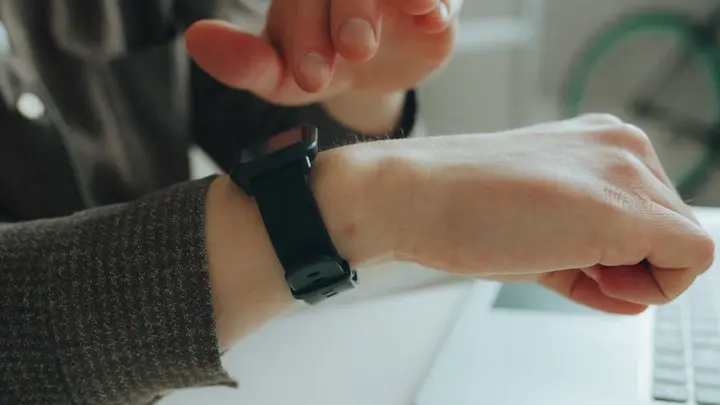
Pay extra for features that solve a regular problem, not simply for the longest specification list. A brighter screen can help when you check the time outdoors, while built-in GPS may matter if you leave your phone behind on runs. For a quick estimate while comparing overseas listings, an online döviz çevirici can convert the advertised amount before you check the seller’s final checkout total.
- Buying every listed feature; choose upgrades tied to your routine.
- Assuming a health label guarantees medical accuracy; check the specific function.
- Comparing advertised prices alone; compare the checkout total and included items.
Think about how you will interact with the watch throughout a typical day. If you need wrist-based calls, confirm that the model has both a microphone and speaker and that its calling function works with your phone. If you mainly want notifications and time checks, a simpler feature set may cover those needs without an unnecessary upgrade.
Health features are most useful when they match a specific purpose, such as tracking walks or reviewing sleep trends. Look at the sensors and the information the watch actually provides, rather than relying on broad labels. If you need readings for a medical decision, check with a qualified healthcare professional instead of treating a consumer watch as a diagnostic device.
- Choose brighter screens for frequent outdoor checks.
- Pay for built-in GPS if you leave your phone behind.
- Confirm speaker and microphone support before buying for calls.
- Match health sensors to the information you want to track.
Match Features to Daily Habits
A useful feature should fit naturally into the way you already use a watch. Someone who checks directions during outdoor workouts may value GPS more than extra watch faces, while a desk-based user may care more about clear notifications and comfortable wear. Listing your regular activities makes it easier to separate practical upgrades from attractive but unused extras.
Controls and readability deserve attention alongside headline specifications. Check whether the screen is easy to read in the conditions where you will wear it and whether the menus make common tasks simple. If possible, try a similar-sized watch in person; case size and interface comfort can matter more each day than a small difference in listed features.
Before choosing an upgrade, check whether it affects battery use or requires a phone connection. Always-on display settings, frequent GPS use and active notifications can change how often you need to charge a watch. A feature may still be worthwhile, but understanding its trade-off helps you judge its value against the price and your routine.
Compare Screen, Battery and Health Features
Read the Display Specification
Compare screen brightness and readability, not just the word AMOLED on a product page. A vivid display can make menus and watch faces easier to see, but the exact experience depends on the panel and the watch’s settings. Check whether the seller describes outdoor visibility and whether brightness can be adjusted to suit your usual surroundings.
Screen size and resolution also influence how the watch feels to use. A larger panel may make messages easier to read, yet it can mean a larger case that does not suit every wrist. Compare the case dimensions and, where available, look at the display in person rather than choosing by screen specifications alone.
Battery claims make most sense when you know which display settings and features they assume. An always-on screen, bright settings and frequent notifications can shorten the time between charges compared with lighter use. Check whether the product information explains its test conditions, and treat unclear or unqualified battery promises cautiously.
| Choice | What to check | Best fit |
|---|---|---|
| Brighter display | Outdoor readability and brightness controls | Frequent outdoor checks |
| Always-on display | Battery impact and settings | Quick time checks |
| Built-in GPS | Phone-free route recording | Outdoor workouts |
| Health sensors | Specific measurements and app support | Targeted activity tracking |
Weigh Battery and Health Needs
Choose a battery profile that suits your charging habits rather than chasing a claim in isolation. If you use GPS for long activities or keep the screen always on, look for battery information that reflects demanding use. For lighter notification checks, a less endurance-focused model may still fit comfortably into your routine.
Health-tracking specifications need the same careful comparison. Check which measurements the watch records, whether they are available continuously or on demand, and how results appear in its app. A longer list of sensors does not automatically mean the watch provides more useful information, so compare actual functions with the tracking you intend to do.
Use a simple side-by-side check to spot meaningful differences without getting distracted by marketing terms. For each model, note its display, expected charging routine and health functions, then ask which difference changes your daily experience. This approach makes trade-offs visible and helps you avoid paying more for features that overlap or remain unused.
Set a spending limit before browsing so premium specifications do not pull you beyond what you planned.
Set a Budget Before You Shop

Set a Practical Spending Limit
Set a spending limit before browsing so premium specifications do not pull you beyond what you planned. Write down the features you consider essential, such as an AMOLED screen, GPS or a particular health function, and treat the rest as optional. That short list gives you a fair way to compare models at different price points.
Compare the total cost at checkout rather than relying on the first price you see. Delivery, taxes, charging accessories or other seller charges may change what you pay, especially when ordering from another country. Check return conditions and warranty coverage as well, since a low advertised price may be less attractive if support is unclear.
If two watches meet your core needs, compare the specific extras that distinguish them and ask whether you would use each one regularly. A modest difference in display brightness or case finish may matter less than phone compatibility or a return policy you trust. Choose the model that fits your daily use and leaves room in your budget.
Compare Like for Like
A fair comparison starts with models that serve the same purpose. Put watches with similar case sizes, phone compatibility and core functions beside each other, then compare screen quality, battery expectations and sensors. This avoids treating a basic notification watch and a GPS-equipped fitness model as though their prices should match.
Read the complete specification and seller information before making a decision. Confirm whether GPS is built in, whether calling requires a connected phone and what the health features measure. Check the included charger, warranty terms and return window, too; these details can make one offer more practical even when its headline price is higher.
Give yourself a final check before placing an order: can you name the features that justify your choice, and will you use them? If the answer is unclear, compare a simpler model that still has the display and essentials you want. A deliberate choice is more useful than paying for capabilities that sound impressive but do not fit your habits.
Compare Models from International Sellers
Convert the Listed Currency
Convert an international listing into your own currency before comparing it with local offers. A dollar price alone can look lower than the amount you will actually pay once your bank’s exchange rate, payment conversion charge, shipping, and import costs are included. Compare the final estimated total, not just the number shown beside the watch.
- Compare the estimated delivered cost, not the foreign-currency listing alone.
- Check exchange and payment fees before ordering.
- Confirm whether taxes and import charges are included.
If a listing is priced in dollars, checking dolar kaç Türk lirası can help estimate its value in Turkish lira before you account for payment conversion, shipping, and other fees. Treat any online conversion as an estimate, since your card provider may apply a different rate or add a charge when the transaction is processed.
Write down the watch price, delivery charge, and any stated taxes separately, then add the costs you can confirm. If customs charges are unclear, check the rules that apply where you live rather than assuming they are included. This makes an overseas offer easier to compare with a local listing that already displays a landed price.
Check Seller and Delivery Terms
Check who is responsible for delivery, returns, and warranty support before choosing an international seller. A watch can be cheaper at checkout but costly to send back if it arrives damaged or does not match the description. Read the returns page and confirm whether the seller or manufacturer handles claims from your country.
Look for a clear product listing that identifies the exact model, included accessories, and regional version. Similar watch names can refer to different configurations, and a listing may omit details such as supported languages or charging accessories. Ask the seller to clarify any point that could affect daily use before placing an order.
Compare the delivery estimate with your reason for buying, especially if the watch is intended as a gift or replacement. Check whether tracking is offered and whether the seller explains what happens if the parcel is delayed or lost. Keep the order confirmation and product listing so you can refer to the original terms if a problem arises.
Watch for Trade-Offs at Lower Price Points
Identify Display Compromises
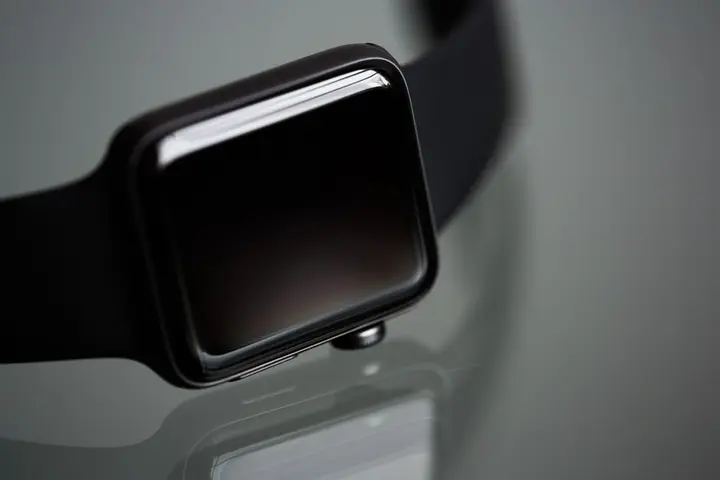
A lower-priced AMOLED watch may have a sharp, colorful screen but still be harder to read outdoors or less responsive to touch. Compare brightness information when available, and look for hands-on descriptions of visibility in daylight. A screen that looks vivid indoors may not suit someone who checks notifications during outdoor walks or workouts.
Check how the display behaves when the watch is idle, since always-on viewing can affect battery life. Some models may offer limited watch-face choices or fewer ways to adjust brightness and screen timeout. These details matter if you want quick glances without repeatedly waking the display or charging the watch more often.
Do not judge display quality from a product photo alone; images can make screens appear brighter and more saturated than they look in normal use. Compare the listed resolution and screen size, then look for consistent comments about readability and touch response. If specifications are vague, treat the display as an unknown rather than assuming it matches a costlier model.
Test Everyday Functionality
A low price can also reflect missing functions or limits in the companion app, so check the features you expect to use each day. Confirm that the watch supports the phone you own and that its app is available in your region. A feature listed on the product page may depend on a compatible phone or a particular app setting.
Read the specifications for calls, notifications, and health measurements rather than relying on broad marketing labels. For example, Bluetooth calling requires a usable microphone and speaker, while health readings may be intended for general tracking rather than medical decisions. Check whether the listed sensors and functions are available on the exact model being sold.
Battery endurance depends on settings and use, so be cautious about comparing claims made under different conditions. Frequent calls, GPS use, bright screens, and an always-on display can increase charging needs. Look for practical details about charging time and cable type, too; an unusual charger can be inconvenient if a replacement is difficult to source.
Check What the Price Includes
Review the Included Package
Check the package contents before treating two listings as equivalent. One may include only the watch and charging cable, while another may add a spare strap or a protective accessory. Confirm what is included in writing, especially when the product photos show items that the written description does not mention.
Make sure the charging method suits your routine and that the required cable or charging puck is part of the package. If it is not included, check availability and compatibility before purchase rather than assuming a generic charger will work. The same care applies to straps: verify the attachment style and size before counting on easy replacements.
A realistic comparison includes any essential accessory you will need immediately, but it should not give optional extras more value than they have for you. Separate must-have items, such as a compatible charger, from convenient additions. This helps you compare the actual cost of getting the watch ready to wear without paying extra for accessories you would leave unused.
Confirm Warranty and Support
Read the warranty terms to learn what is covered, how long coverage lasts, and where a repair must be handled. A seller’s return window is not the same as a manufacturer warranty, and each may have different conditions. Confirm whether proof of purchase is required and whether warranty service is available in your country.
Check the seller’s policy for faulty, damaged, or incorrectly described products before checkout. Find out who pays return shipping and whether refunds go back to the original payment method. If the policy is unclear or difficult to locate, ask for clarification and save the response with your order records.
Support matters after the first setup, particularly if the watch needs an app update or replacement charger. Check whether instructions and customer assistance are available in a language you can use. A small price difference may be reasonable if one seller offers clearer returns and accessible service, but weigh that benefit against the terms rather than assuming it.
Tips for Choosing the Right AMOLED Watch
Match Features to Daily Use
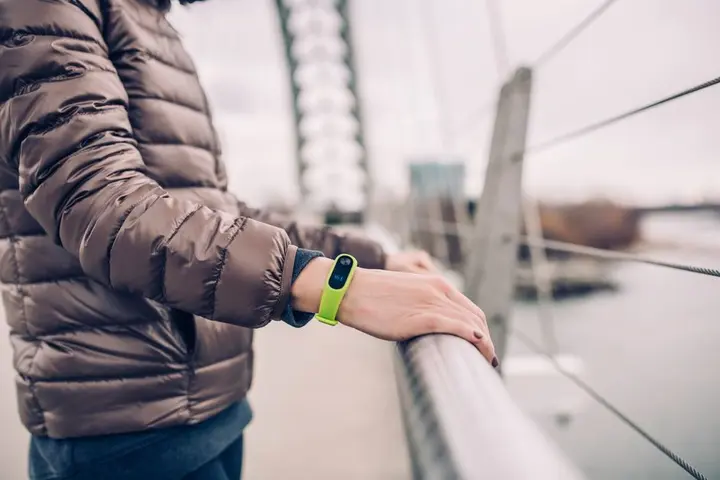
Start with the situations in which you will wear the watch, then choose features that make those moments easier. Someone who mainly checks calls and messages may value clear notifications and reliable phone pairing more than extensive workout modes. A frequent exerciser may instead prioritize comfortable fit, useful activity tracking, and a screen that is readable outside.
- List the daily tasks the watch should handle.
- Check essential features and phone compatibility.
- Compare complete costs and warranty terms.
- Choose the model that fits your wrist and routine.
Choose a screen size and case shape that feel comfortable on your wrist, not simply the largest display in your price range. If possible, try a similar-sized watch in person or compare its measurements with a watch you already wear. Consider how the strap closes and whether the case might catch on sleeves during daily tasks.
Make a short list of essential functions and separate them from bonuses before comparing models. This keeps a long specification sheet from steering you toward features you will rarely use. For example, if you do not plan to make calls from your wrist, you can focus your comparison on screen usability, battery routine, app compatibility, and the functions that support your normal schedule.
- Write down your three most-used watch functions.
- Check phone compatibility and app availability.
- Compare case size and strap fit.
- Set a maximum delivered cost.
Make a Final Model Check
Before paying, compare the exact model numbers rather than relying on similar product names or photos. Verify screen type, case size, color, included accessories, and the functions you selected as essential. A simple checklist can reveal when a lower-priced listing is for a different configuration than the one you intended to buy.
Read recent buyer feedback for recurring, specific issues rather than reacting to one vague complaint. Look for comments about pairing, screen readability, charging, or the return process, and check whether the reviews refer to the same model. If several listings repeat a concern, consider whether it would interfere with your own use.
Take one last look at the final checkout total, delivery estimate, and return conditions before confirming the order. Save the listing and receipt so you can check the promised specifications when the watch arrives. On first setup, test the display, charging, connection, and essential functions promptly, while the seller’s stated return period is still open.
Frequently asked questions
Does AMOLED automatically mean a watch is premium?
No. AMOLED describes the display technology, not the watch’s overall quality or feature set. Watches with AMOLED screens can differ in brightness, resolution, battery performance, materials, software support, and included functions. Compare the full specifications and the final delivered cost, then decide whether the display and other features suit your routine. A low price does not prove poor quality, but the screen label alone does not establish value.
Will an AMOLED smartwatch work with any phone?
Not necessarily. Compatibility depends on the watch’s operating requirements, its companion app, and sometimes the phone’s software version. Check the manufacturer or seller’s compatibility information for your exact phone before buying, and confirm that the app is available in your region. If you rely on calls or notifications, also verify that those functions work with your phone rather than assuming every feature transfers across platforms.
Does an AMOLED screen drain the battery quickly?
Battery life depends on the watch and how you use it, not just the display type. High brightness, an always-on screen, frequent calls, GPS, and continuous tracking can increase charging needs. Compare battery information under realistic settings where available, and consider whether you are willing to adjust display options. A watch with a vivid screen may still suit you if its charging routine fits your day.
How can I tell whether a discounted model is still a good buy?
Check that the discount applies to the exact model and that the listing explains its condition, package contents, warranty, and return terms. Compare its delivered cost with other sellers, including essential accessories and any import charges. Then confirm that the watch supports your phone and includes the functions you need. A lower price is useful only if the product and seller terms meet your requirements.
Choose for the Watch You Will Actually Wear
An AMOLED screen can be a useful reason to choose a smartwatch, but it is only one part of the purchase. Compare complete costs across sellers, check compatibility and warranty terms, and look closely at the display, battery, and functions you will use. International offers deserve particular care because currency conversion, delivery, and return arrangements can change the apparent bargain.
Before ordering, write down your essential features and the maximum total you are willing to pay. Compare a few exact models against that list, verify what arrives in the box, and read the return policy once more. If the price, support, and daily features all fit your needs, you can buy with a clearer sense of what you are paying for.


