

16 min read · Updated: 2026-11-28
A fitness band is usually the better fit if you want straightforward activity and health tracking in a light, simple device. Choose a smartwatch if you want a larger screen, more apps, richer controls, or convenient wrist-based communication. The right choice depends on which features you will use regularly, not which device has the longest feature list.
Both types can track everyday movement, workouts, sleep, and selected health signals, but the details vary by model. A band often keeps its interface and functions focused; a smartwatch typically gives you more ways to view information and interact with your phone.
Before comparing models, consider how often you want to charge, whether you need notifications or calls on your wrist, and which tracking tools matter to you. These practical differences make it easier to match a device to your routine.
- Choose a fitness band for focused tracking and simple daily use.
- Choose a smartwatch if you will use its larger screen and interactive features.
- Compare actual sensors, phone compatibility, notification controls, and battery guidance.
- Comfort and charging habits matter because consistent wear makes tracking more useful.
What separates a fitness band from a smartwatch
A simpler wearable by design
A fitness band focuses on recording activity and presenting a small set of useful information. It may count steps, track workouts, show sleep summaries, and display basic phone alerts, while its narrow screen and limited controls keep interaction simple. That makes it suited to people who mainly want tracking rather than a wrist-sized extension of their phone.
A smartwatch generally offers a larger display and a broader range of on-device functions. Depending on the model, you may be able to answer calls, use apps, respond to messages, or control music from your wrist. Those options can be convenient, but they also add menus and features that are less useful if you rarely interact with the device.
The labels are not strict technical categories, so compare the actual specifications rather than relying on a product name. Some bands include bright touchscreens and detailed tracking, while some watches keep their functions relatively focused. Check the display, controls, sensors, and supported phone features to see what the device really does.
Screens and everyday interaction
Screen size changes how easily you can read information and act on it. A band can show a step total or incoming alert at a glance, but a small display may make longer messages and detailed workout data harder to review. A watch’s larger screen usually gives those details more room.
Think about what you expect to do without taking out your phone. If you mainly want to check the time, see a notification, or start a recorded walk, a band may cover those needs. If you want to manage calls, browse apps, or respond to messages, a smartwatch offers more direct interaction.
More screen space does not automatically mean a better daily experience. A larger device may feel more noticeable on a small wrist or during sleep, and frequent interaction can mean more charging. Try the device on if possible, and consider whether its size and controls suit the moments when you will wear it.
How you plan to use it shapes the choice
Match the device to routines
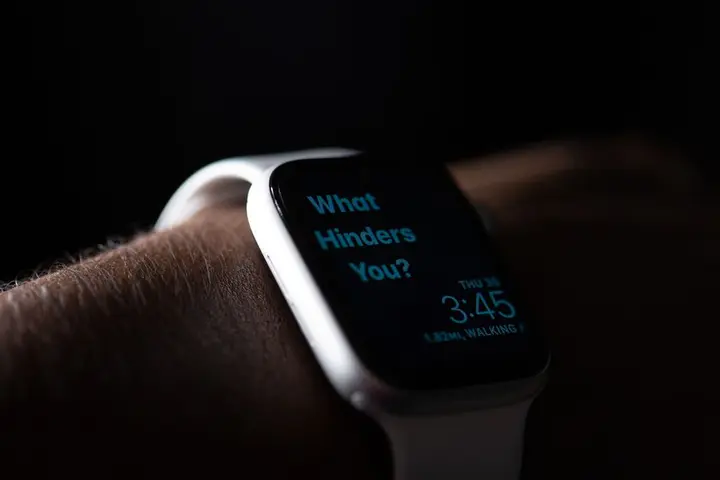
Start with the moments when you expect to use the device, rather than the features that sound impressive in a product listing. Someone who wants a daily step count and occasional workout record may prefer a band’s focused layout. A person who checks messages and controls music while away from a phone may value a smartwatch.
Your exercise habits also affect the choice. For walks, gym sessions, or general activity, many devices can record useful basics, but the available workout modes and controls differ. If you often start, pause, or review workouts from your wrist, check how easily the model handles those actions before buying.
Consider whether you will wear it overnight as well as during the day. A lighter band may be less obtrusive for sleep tracking, while a watch can provide a clearer display for daytime use. Comfort, strap fit, and charging habits matter because a device only records consistently when you are willing to wear it.
- List the activities you want to track.
- Decide whether wrist-based replies matter.
- Consider whether you will wear it overnight.
- Check comfort and charging routines.
Think about phone dependence
Both bands and smartwatches often work alongside a phone, but the connection affects which features are available. A device may show alerts only when paired, while some models offer additional functions through their own connectivity. Read the compatibility details carefully, especially if you use a less common phone or operating system.
If you usually carry your phone, wrist notifications may be enough without standalone communication features. If you want to leave your phone behind for a short activity, check whether the specific watch supports the calls, music, or location functions you need independently. Do not assume every smartwatch can do this just because it has a large screen.
Also consider how much attention you want notifications to demand. A band that mirrors selected alerts can provide a quick prompt without inviting long interactions. A smartwatch may let you respond from your wrist, which is useful in some situations but can make it easier to keep checking messages throughout the day.
Compare tracking, notifications, and battery life
Check the tracking details
Compare the exact tracking functions you need, because a broad label such as health tracking does not guarantee the same measurements across devices. Look for the sensors, workout modes, and sleep features listed for each model. If one particular measurement matters to you, confirm that the device supports it rather than assuming it is standard.
- ☐ Confirm the sensors and health readings offered.
- ☐ Check that your usual workouts are supported.
- ☐ Review how sleep and activity data are presented.
- ☐ Make sure the companion app works with your phone.
Tracking is most useful when you understand what its readings represent. Step totals and workout records can help you notice patterns over time, while sleep summaries offer an estimate rather than a complete account of rest. Treat wellness readings as general information, and consult a qualified professional about medical concerns.
Check how the information appears in the companion app as well as on the device. A clear history can help you compare activity across days, while a confusing app may make useful records difficult to interpret. Look for the data views you expect to use and see whether the device syncs with your phone in a way that suits you.
| Need | Fitness band | Smartwatch |
|---|---|---|
| Basic activity tracking | Focused tracking interface | Tracking plus broader controls |
| Reading alerts | Brief notifications on a smaller screen | More room to view and interact |
| Phone interaction | Usually limited to simple alerts | May support calls, replies, or apps |
| Charging routine | Varies by model and settings | Varies; active features can affect use |
Balance alerts with charging
Battery life depends on the device and how you use it, so compare manufacturer guidance with the features you plan to keep active. Frequent notifications, GPS use, bright displays, and regular workouts can increase charging needs. A simpler band may last longer in some cases, but model specifications and settings make the difference.
Notifications vary just as much as tracking. Some devices only show an alert, while others let you interact with it; phone compatibility can also affect which alerts appear. Choose a small set of notifications you genuinely need, then check whether the watch or band can filter the rest.
Charging can interrupt tracking, particularly if you want to wear a device overnight. Consider when you could comfortably recharge it and whether its charging method fits that routine. If you compare expected battery life, account for your intended settings rather than relying on a best-case estimate that may not match everyday use.
You might need reliable workout recording, readable alerts, comfortable overnight wear, or a screen that makes information easy to check.
Choose the features you will actually use
Prioritize practical features
Make a short list of must-have features before comparing devices. You might need reliable workout recording, readable alerts, comfortable overnight wear, or a screen that makes information easy to check. Separating essentials from optional extras prevents a long specification list from distracting you from the functions that will shape daily use.
Check practical details that can be easy to overlook, including strap comfort, screen readability, water-resistance terms, and phone compatibility. Water resistance has specific limits, so read the maker’s guidance before swimming or exposing a device to water. A comfortable fit and suitable use rating can matter more than a feature you may rarely open.
If you are choosing between two models, compare them against the same real-life scenario. Imagine a typical workday, a workout, and the time you go to bed, then ask which device supports those moments with less friction. This makes the trade-offs clearer than judging products by their appearance or number of listed functions.
- Name the tracking features you need.
- Check phone and app compatibility.
- Assess comfort for day and night.
- Read water-resistance guidance.
Make the final comparison
A fitness band is a sensible shortlist choice when you want everyday activity records and a low-interaction experience. A smartwatch is more compelling when you will regularly use its larger display, communication tools, or extra apps. Neither category is universally better; the useful choice is the one that supports your habits.
Before buying, verify the exact model’s compatibility, tracking options, battery guidance, and included features. Product families can contain models with different sensors or connectivity, so do not transfer specifications from one version to another. If you rely on a particular function, confirm it in the device’s own details.
Finally, picture wearing and charging the device for several weeks, not just trying it once. Ask whether its size feels comfortable, whether its alerts are useful, and whether its data is easy to review. When those everyday details fit, you are more likely to use the device consistently and get value from its tracking.
Check product pages before buying online
Read the Full Specification
Check a band or watch’s full specifications before comparing its price or appearance. Look for supported phone operating systems, sensor details, water-resistance wording, and whether GPS works independently or relies on a phone. Retailers reviewing how shoppers find and assess wearable product pages may find Seo Services useful for understanding how buyers reach that information.
- Check the exact phone compatibility before checkout.
- Find out whether GPS works without a phone.
- Read the stated limits behind water-resistance claims.
Treat feature labels as prompts to check the details, not as guarantees of what the device can do. A listing that says “GPS” should explain whether the watch records routes without a phone, while “water resistant” should identify the stated rating and usage limits. Clear specifications help shoppers compare models on practical terms.
Check what comes in the box and what the listing says about setup, charging, and compatibility. A fitness band may need a phone app for initial pairing or detailed trend views, while a smartwatch may require additional permissions for calls. If an answer is missing, ask the retailer before ordering rather than relying on assumptions.
- Confirm phone compatibility.
- Check GPS requirements.
- Read water-resistance limits.
- Review included accessories.
Compare What You’ll Actually Get
Compare the product page with the manufacturer’s model name and version, especially when similar devices have different case sizes or sensor sets. Confirm the listed model matches the images and the included strap or charger. This can prevent a mismatch between the features you researched and the device that arrives.
Look for clear explanations of notifications, calls, and health measurements rather than assuming every feature works the same way across phones. Some watches can display incoming calls but cannot answer them, and some health readings are intended for general awareness rather than diagnosis. Product pages should make these distinctions easy to spot.
Before choosing, compare the return conditions and warranty details alongside the feature list. A comfortable fit and readable screen matter in daily use, but they are difficult to judge from a photograph alone. Knowing how returns work gives you a practical way to address fit or usability problems after trying the device.
For retailers, make product information easier to find

Organize Listings Around Needs
Group wearable listings by the needs shoppers use to narrow their choices, such as independent GPS, Bluetooth calling, long battery life, or a compact fitness band. Leicester Seo Services may help Leicester-based wearable retailers improve how local shoppers discover their store and product information. Keep the product details themselves specific, so a category label never substitutes for a clear specification.
- Choose the shopper needs your categories will cover.
- Use the same plain-language feature labels throughout.
- Add filters for functions that distinguish products.
- Check listings against the actual model specifications.
Use consistent names for features across category pages, filters, and individual product listings. If one page calls a device “GPS-enabled” and another says “phone-connected GPS,” shoppers may struggle to tell whether the watch records a route on its own. Define each option in plain language and apply that wording wherever the feature appears.
Make comparisons useful by showing the details that affect everyday use, not just the product’s headline features. A concise comparison can include screen type, battery expectations, phone compatibility, call support, and water-resistance limits. Shoppers can then see where a band offers simpler tracking and where a smartwatch adds communication functions they may want.
- Group products by practical feature.
- Use consistent feature labels.
- Show compatibility beside key functions.
- Explain independent versus phone-connected GPS.
Answer Questions Before Checkout
Put answers to common questions beside the relevant product details. Explain whether notifications require a companion app, whether calls can be answered from the watch, and what phone permissions are needed. This helps shoppers judge whether setup will suit their routine before they commit to a particular model.
Keep product copy distinct when two devices share a name or look similar. State meaningful differences, such as screen technology, case size, GPS operation, or supported health features, instead of repeating generic claims. A shopper comparing a fitness band with a smartwatch needs to understand what changes in daily use.
Review pages when specifications or availability change, and remove details that no longer apply to the listed model. Check images, compatibility notes, accessories, and return information together, since an accurate feature list cannot prevent confusion if the photograph shows a different version. A short internal checklist makes updates easier to complete consistently.
Keep local store details consistent across locations
Verify Each Store Listing
Make every store listing match the location’s real opening hours, address, contact details, and available services. Local Seo Services may help retailers with staffed locations keep store listings and location details consistent across areas. For shoppers, accurate information can determine whether a nearby store is worth visiting to compare a band or smartwatch in person.
- Leaving outdated opening hours online; verify them with each location.
- Treating all branches as identical; list only services each one provides.
- Implying every model is available in-store; ask shoppers to confirm stock.
Assign someone to check each location’s details whenever hours, contact numbers, or services change. Do not assume a central listing automatically reflects what a staffed branch can offer, such as product demonstrations or collection. A shopper who travels to try a watch should be able to confirm that the store is open and has the relevant service.
Keep product availability separate from general store information, and avoid suggesting that every branch carries every model. If stock varies, direct shoppers to check with the specific location before travelling. This simple distinction prevents a store listing from promising an in-person comparison that the local team cannot provide.
- Verify address and contact details.
- Check branch hours after changes.
- Confirm which services each store offers.
- Avoid implying all models are in stock.
Make Branch Information Useful
Give each location a clear page with its address, hours, contact route, and the services shoppers can expect there. Include practical directions or access information when it helps someone plan a visit. Keep descriptions specific to that branch rather than copying text that names another town or promises services it does not provide.
Use one agreed format for addresses, phone numbers, and opening hours across the store’s own pages and listings. Consistency makes details easier to check and reduces the chance that a shopper sees conflicting information. When a branch closes or moves, update its details promptly and remove references that could still direct visitors to the old location.
Make it easy for shoppers to check whether an in-person demonstration or collection is available before setting out. A clear phone number or contact option can resolve questions about a particular fitness band, smartwatch, or size. Staff can then give current information without relying on a broad claim that may not fit every branch.
Avoid common buying mistakes

Match Features to Routine
Choose the device around the activities and information you will use most, not the longest feature list. A band may suit someone who mainly wants steps, sleep trends, and simple alerts, while a smartwatch can be a better fit for frequent calls or apps. Consider when you will wear it and how often you are willing to charge it.
Do not assume that a health-tracking feature provides a medical diagnosis or replaces professional advice. Read how the manufacturer describes each measurement and treat trends as general information. If a particular reading matters to you, check whether the device offers it and whether its limitations are explained before buying.
Check comfort alongside functions, since a device that feels awkward may spend more time on a table than on your wrist. Consider case size, strap adjustment, screen readability, and how the watch feels during sleep or exercise. If possible, try a similar size in person, or confirm the retailer’s return terms before ordering.
- Prioritize features you will use daily.
- Check how often charging may fit your routine.
- Treat wellness readings as general information.
- Consider comfort during sleep and exercise.
Check Practical Limits First
Avoid buying based on a single headline such as “all-day battery” or “waterproof.” Battery use varies with screen settings, GPS, and notifications, while water resistance has specific limits. Read the model’s guidance and consider your own habits, especially if you plan to wear the device for swimming or frequent outdoor activity.
Do not overlook phone compatibility or setup requirements when comparing prices. A watch may offer features that depend on a particular app, permissions, or a compatible phone, and those requirements can affect daily use. Check the listing and manufacturer information before checkout, rather than discovering that a preferred function is unavailable after pairing.
Finally, avoid treating a smartwatch as automatically better because it does more. Extra apps and communication tools are useful only if they fit your routine, and a simpler band may be easier to wear and maintain. Choose the least complicated device that reliably covers your needs, then confirm its fit, limits, and return terms.
Frequently asked questions
Can a fitness band track exercise without a phone?
Some fitness bands can record activity and store it until they reconnect with a phone, while others rely on the phone for features such as GPS route tracking. Check the exact model’s specifications for independent GPS and offline storage. If you mainly want step counts or basic workout records, phone-free GPS may not matter; for mapped outdoor routes, it can be important.
Is a smartwatch more accurate than a fitness band?
Not automatically. Accuracy depends on the particular device, sensor, fit, activity, and how the manufacturer defines its measurements, rather than whether it is called a watch or a band. Wear the device as directed and compare the features you need. Treat health readings as general tracking information, and consult a qualified professional about medical concerns.
Can I answer calls on every smartwatch?
No. Some watches show call alerts but require you to answer on your phone, while models with Bluetooth calling can let you speak through the watch when connected to a compatible phone. Check whether the listing specifically says calls can be answered from the device, and review the phone compatibility and permissions needed for that function.
How should I choose between a band and a watch for sleep tracking?
Consider comfort first, because you need to wear the device overnight for it to collect sleep-related information. A slim fitness band may feel less intrusive, while a smartwatch may offer broader features but a larger case or more frequent charging. Compare the specific model’s sleep-tracking functions, battery expectations, and strap fit before choosing.
Choose the device you’ll keep wearing
A fitness band is often a practical choice when your priorities are straightforward activity tracking, sleep trends, and a lighter device. A smartwatch makes more sense when you expect to use features such as calls, apps, or broader on-wrist controls. Neither category is automatically the better buy: compatibility, comfort, battery needs, and clear product information determine whether a model works for you.
Before ordering, write down the features you will use regularly and the limits you cannot accept, such as phone-dependent GPS or a strap that feels uncomfortable overnight. Compare a few specific models against that list, confirm compatibility and return conditions, and check the manufacturer’s explanation of each feature. That gives you a concrete basis for choosing a device that fits your routine.


